The JAMB CAPS Portal: How to Upload O'Level Results (2026 Guide)
Revised on May 16, 2026.
JAMB procedures can be complicated, let's face it. Just when you think you've finished everything, someone asks, "Have you uploaded your O'Level result?"
What Makes Uploading Your O'Level Results Even Important?
Well, according to JAMB, O'level result must be uploaded. And admittance won't occur if you don't. That's it. Your results must be on CAPS, regardless of whether you applied through Direct Entry or wrote the UTME. You won't be admitted if it's not there. They will simply pass your file as if you don't exist, even if you received a score of 330 or more.
When Will You Be Able to Upload?
Two times stand out and you fit do am during either one:
1. When registering for JAMB
Simply upload your WAEC or NECO results as you are registering for JAMB. It saves you the trouble of uploading it at a later time.
2. After the Exams
When you registered, are you still awaiting your results? Once the results are released by WAEC, NECO, or NABTEB, you can upload it. Schools begin generating admission lists shortly after, so don't wast time in uploading the o'level result.
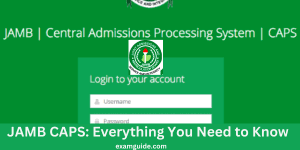
How to Determine Whether Your Results Appear on CAPS
Verify whether JAMB already has before alarmed.
Steps to Check Your O'Level Result on CAPS:
1. Go to JAMB e-facility portal. Click here
2. Log in with your details.
3. Click on "Check Admission Status."
4. Then select "Access My CAPS."
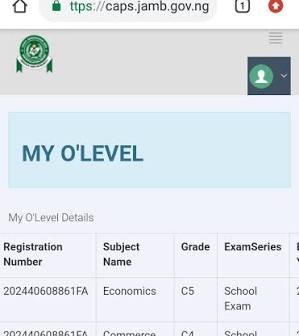
5. Inside CAPS, click "My O'Level result."
You're good if you can see your grades there. If "Awaiting Result" appears, you must act quickly.
How to Upload the O'level Result (If It's Not There Yet)
Alright, so your result didn't show up? What to do is as follows:
1. Locate a JAMB office or CBT center.
Not just any cafe in your neighborhood. Visit an official JAMB office or a recognized JAMB CBT center.
2. Bring Your Results to the official JAMB office or JAMB CBT Center
Bring your JAMB profile details and your original result or printout with you. Inform them that you wish to upload your O'Level results. If the line is not too lengthy, it often takes less than ten minutes for it to be uploaded.
They'll upload it directly to your CAPS.
3. Don't Relax Yet
After the upload, go back to your CAPS later to confirm it. Just Follow the Steps to Check Your O'Level Result on CAPS above for checking it. Make sure it shows up. Sometimes, the upload doesn't reflect immediately, so check again after one or two days.
What Takes Place If You Don't Upload?
Your CAPS's "Awaiting Result" label is a warning sign. It inform the school that "this candidate has not complete registration".
Additionally, admissions officers act quickly. Someone else will be chosen.
Get your results on CAPS as soon as possible if you intend to start school this year.

Final Word
If someone promises to upload your results for you, don't just be too quick to pay online for the uploading of the O'level result. Additionally, if someone asks you too much to upload the O'level results, visit the authorized JAMB CBT Center or the Jamb official office for the upload. JAMB takes fraud seriously. Use authorized centers or JAMB official offices at all times.
Uploading your O'Level results to JAMB CAPS may seem insignificant, but it's one of those little actions that have a major impact.
Remain vigilant. Check your CAPS. And if the result is missing, fix any missing results as soon as you can. The admissions season doesn't wait for anyone.